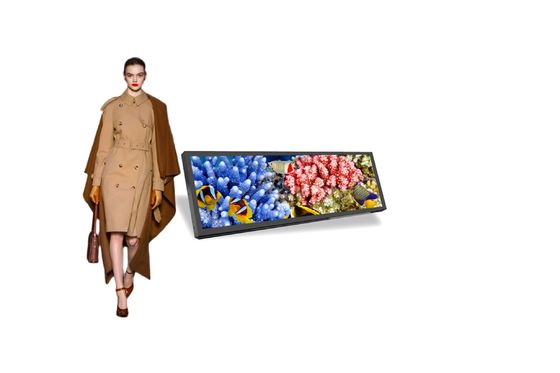
Why Indoor Digital Signage Matters More Than Ever
Indoor digital signage has evolved from a luxury add-on to an essential business tool. the right indoor display can increase customer engagement by up to 40% and boost sales conversion by 30%. But with hundreds of options on the market, how do you choose the right one?
As a manufacturer with over a decade of experience producing commercial-grade LCD displays, we've compiled this comprehensive guide to help you make an informed decision for 2026.
1. Screen Size: Matching Display to Space
The first decision is screen size, and it's more nuanced than "bigger is better":
| Screen Size | Best For | Typical Viewing Distance |
|---|
| 21.5" - 32" | Desktop displays, shelf edge, compact counters | 1-3 feet |
| 43" | Wall-mounted retail displays, small meeting rooms | 4-8 feet |
| 49" - 55" | Floor standing advertising, lobby displays, menu boards | 8-15 feet |
| 65" | Large lobbies, conference rooms, video walls | 15-25 feet |
Pro tip: Always measure your installation space first and account for foot traffic clearance before choosing a display size.
2. Brightness: The Most Overlooked Specification
Indoor environments vary dramatically in ambient light. Here's what you need:
- 250-350 cd/m²: Suitable for dimly lit environments like hotel lobbies, bars, and conference rooms. Most cost-effective option.
- 350-500 cd/m²: The sweet spot for typical retail stores, restaurants, and offices with standard fluorescent lighting.
- 500-700 cd/m²: Necessary for spaces with large windows, skylights, or bright LED lighting. Prevents washed-out appearance.
- 700+ cd/m²: For window-facing indoor displays or semi-outdoor areas like covered walkways.
Key insight: A display that looks great in a dim showroom may appear washed out in your brightly-lit store. Always match brightness to your actual deployment environment.
3. Resolution: 1080p vs 4K for Commercial Use
While 4K UHD is tempting, it's not always necessary for indoor digital signage:
- Full HD (1920x1080): Perfect for 43"-55" displays viewed from 8+ feet. The human eye can't distinguish individual pixels at this distance, making 4K overkill.
- 4K UHD (3840x2160): Recommended for 65"+ displays, touch-interactive screens viewed up close, or applications displaying fine text and detailed graphics.
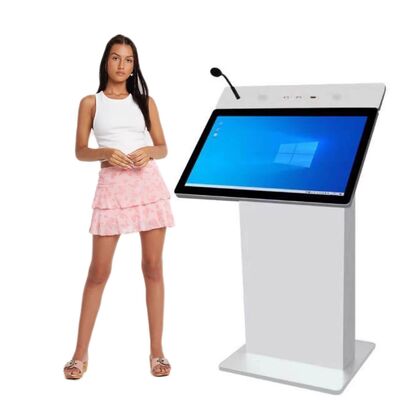
- 2K: A balanced middle-ground for 32"-49" touch kiosks where users interact at arm's length.
4. Operating System: Android vs Windows
| Feature | Android OS | Windows OS |
|---|
| Cost | Lower hardware cost | Higher (license + hardware) |
| Ease of Use | Simple, app-based interface | Full desktop environment |
| Content Management | Cloud CMS, USB playback | Full software compatibility |
| Best For | Standard advertising, menu boards | Interactive apps, custom software |
| Processor Options | Quad-core Cortex-A17, RK3568 | Intel Core i3/i5/i7 |
For 80% of indoor digital signage applications, Android OS provides everything you need at a significantly lower total cost. Choose Windows only when you need to run specific Windows-based software.
5. Touch Screen: When You Need It (and When You Don't)
Touch capability adds 20-30% to display cost. Determine if you truly need it:
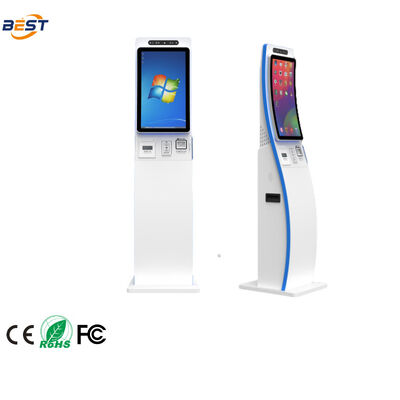
- Yes, use touch for: Self-service kiosks, wayfinding directories, product catalogs, interactive training stations
- No, skip touch for: Overhead menu boards, lobby welcome displays, passive advertising screens
- Capacitive: Multi-touch, better responsiveness | Infrared: Works with gloves, more durable
6. Installation Type: Floor Standing vs Wall Mounted vs Hanging
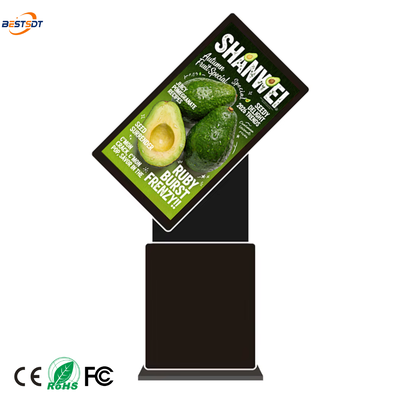
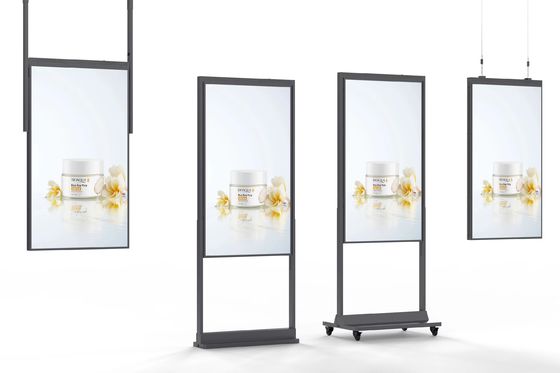
- Floor Standing: Best for high-traffic areas where wall mounting isn't possible. Offers flexibility to relocate. Look for stable bases and internal cable management.
- Wall Mounted: Clean, professional look. Saves floor space. Requires solid wall and proper VESA mount.
- Ceiling Hanging: Ideal for retail aisles and supermarket shelves. Double-sided hanging displays maximize visibility from both directions.
7. Content Management: How Will You Control It?
- USB Playback: Simplest option. Load content via USB drive. Best for single-display setups with infrequent content changes.
- WiFi Cloud CMS: Update content remotely from any device. Schedule different content for different times of day. Essential for multi-location deployments.
- 4G Connectivity: Built-in SIM card slot for locations without reliable WiFi. Useful for pop-up displays and temporary installations.
8. Panel Quality: What's Behind the Glass
When comparing quotes, ask about panel grade, viewing angle, and commercial rating:
- Panel Grade: A+ grade panels from LG, BOE, or Samsung offer superior color accuracy and longevity. Avoid B-grade panels that may show dead pixels within months.
- Viewing Angle: Look for 178°/178° (IPS technology). Narrower angles cause color shift when viewed from the side.
- Commercial vs Consumer: Commercial-grade displays are built for 16/7 or 24/7 operation with better heat dissipation and 50,000+ hour backlight life.
9. Checklist: 7 Questions Before You Buy
- What is the viewing distance?
- How bright is the environment?
- Will customers touch the screen?
- Where will it be installed?
- How will content be updated?
- How many hours per day will it run?
- What is the total budget including installation and CMS?
Answer these seven questions, and you'll have a clear specification ready. For personalized recommendations based on your specific use case, contact our team — we've deployed indoor digital signage solutions across retail, hospitality, education, and corporate environments worldwide.


 Your message must be between 20-3,000 characters!