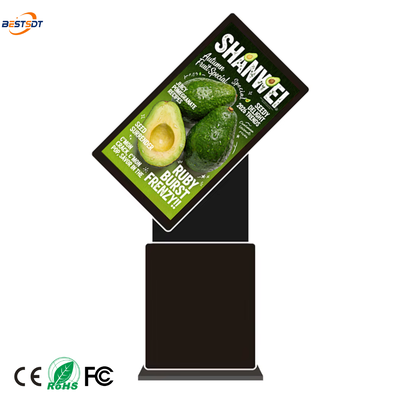
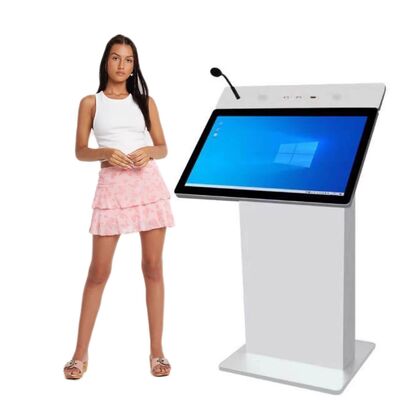
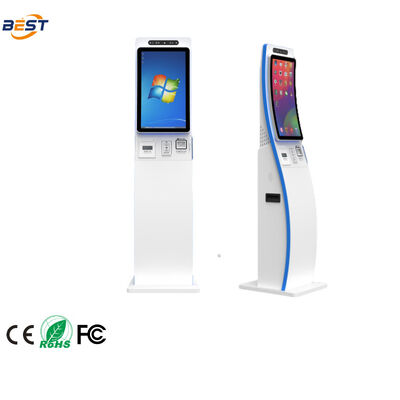
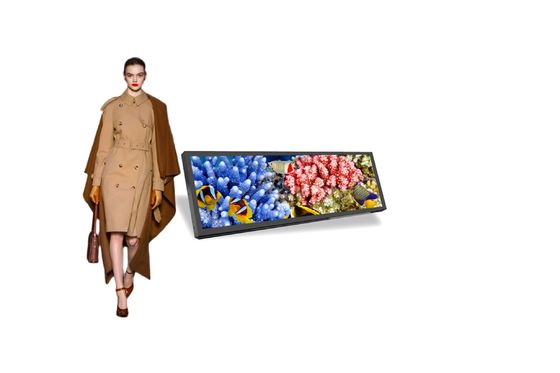
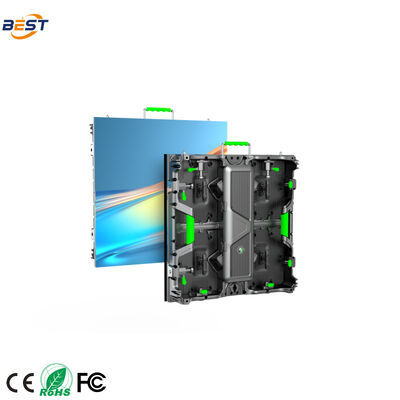
Outdoor digital signage is no longer a luxury — it’s a competitive necessity. In 2026, businesses from retail stores to transit hubs are using outdoor displays to capture attention, deliver real-time information, and drive revenue. But with hundreds of options on the market, choosing the right outdoor digital signage can feel overwhelming.
This guide breaks down everything you need to know, from brightness and IP ratings to touch functionality and content management, so you can make an informed decision and avoid costly mistakes.
Why Outdoor Digital Signage Matters in 2026
The global outdoor digital signage market is growing rapidly, driven by several trends. Smart city initiatives are replacing static billboards with dynamic digital displays. Retailers are extending in-store promotions to storefront windows and sidewalks. Quick-service restaurants are deploying outdoor menu boards and self-ordering kiosks. Transit hubs are using real-time information displays to improve passenger experience.
The core advantage is simple: outdoor digital signage reaches people at the moment of decision. A well-placed screen at a mall entrance can influence where a shopper goes next. An outdoor LCD digital signage display can upsell before a customer even walks in.
However, many buyers focus on price and overlook critical specifications — leading to screens that fail in rain, wash out in sunlight, or cost a fortune in maintenance. Let’s make sure that doesn’t happen to you.
Key Factors to Consider
Brightness
Brightness is measured in nits (cd/m²), and it’s the single most important specification for outdoor displays. If the screen isn’t bright enough, your content will be invisible under direct sunlight.
Here’s what you need:
- Shaded or covered outdoor areas: 1,000–1,500 nits
- Semi-shaded or partially sunlit areas: 1,500–2,500 nits
- Direct, constant sunlight exposure: 2,500–5,000+ nits
Always choose a display with automatic brightness adjustment. This feature dims the screen at night to save energy and reduces light pollution, while maximizing visibility during the day.
IP Rating (Weather Protection)
The IP (Ingress Protection) rating indicates how well the display is sealed against dust and water. For outdoor installations, this is non-negotiable.
- IP54: Dust-protected, splashing water — covered outdoor areas only
- IP65: Dust-tight, water jets — the standard for outdoor use
- IP66: Dust-tight, powerful water jets — heavy rain or coastal areas
- IP67/IP68: Temporary or continuous submersion — extreme conditions
Recommendation: IP65 is the minimum for any outdoor installation. If your region experiences monsoon seasons or salt spray from the ocean, go for IP66 or higher.
Touch Function
Touch capability transforms a one-way advertising screen into an interactive experience. Whether you need a self-ordering kiosk or an interactive wayfinding display, touch functionality opens up new possibilities:
- No touch (display only): Best for pure advertising and information display
- Single-touch: Suitable for simple wayfinding or directory applications
- Multi-touch (10-point or more): Ideal for interactive maps, product catalogs, and self-service applications
For outdoor touch screens, ensure the touch panel is rated for outdoor use. Standard touch panels can malfunction in rain or with wet fingers. Look for infrared touch or projected capacitive (PCAP) touch with waterproof treatment.
Operating System
The operating system determines what applications you can run and how flexible your content delivery will be:
- Android: Most popular for digital signage. Affordable, supports a wide range of signage apps, easy to update. Best for standard content playback.
- Windows: More powerful, supports complex applications and custom development. Best for interactive kiosks and data-heavy dashboards.
- Linux: Stable and secure, but requires technical expertise. Best for enterprise deployments with dedicated IT teams.
- Plug-and-play (USB): No OS needed — just load content onto a USB drive. Best for simple installations.
For most outdoor signage deployments, Android offers the best balance of cost, flexibility, and ease of use.
CMS Software
A Content Management System (CMS) is how you control what’s on your screen. Without a good CMS, even the best display is just an expensive blank panel.
Key features to look for include cloud-based access for managing content from anywhere, scheduling to set playlists at specific times, multi-screen management to control hundreds of floor-standing digital signage displays from one dashboard, support for images, video, live TV, RSS feeds, and HTML5, remote monitoring of screen status and temperature, and user permissions for different team members.
Before buying, ask the manufacturer for a CMS demo. A clunky CMS will cost you hours of frustration every week.
Common Buyer Mistakes
After 15+ years of manufacturing outdoor displays, we’ve seen the same mistakes repeated by buyers worldwide. Here are the top ones to avoid:
1. Choosing brightness based on price, not environment. A 1,000-nit screen is cheaper, but if it’s installed under direct sunlight, your investment is wasted. Always match brightness to the actual installation environment.
2. Ignoring thermal management. Outdoor screens generate heat, and in summer, ambient temperatures push internal components to their limits. Ensure the display has built-in fans or air conditioning. Ask for thermal test data.
3. Overlooking content management. Many buyers spend weeks choosing hardware but minutes choosing software. Test the CMS before committing — it’s what you’ll interact with every day.
4. No contingency plan for power or network outages. Outdoor installations are vulnerable to power surges and network drops. Invest in surge protection and ensure the system can auto-recover after an outage.
5. Buying without certification verification. CE, FCC, RoHS, and ISO certifications aren’t optional — they’re legal requirements in most markets. Always request original certification documents, not just claims. For specialized needs like transparent LCD screens or LED poster displays, certification is especially critical for outdoor use.
Recommended Solutions
At BEST Technology, we manufacture outdoor LCD digital signage from 32 to 86 inches, with options for every environment and budget. Our high-brightness models reach up to 5,000 nits for direct sunlight visibility. IP65 and IP66 enclosures provide all-weather protection. Optional touch screens feature waterproof infrared or PCAP technology. Android or Windows operating systems come with cloud CMS. We also offer OEM/ODM customization for size, color, branding, and functionality.
All displays are backed by CE, FCC, RoHS, and ISO9001 certifications, with a minimum 1-year warranty and lifetime technical support.
Conclusion
Choosing the right outdoor digital signage comes down to matching specifications to your real-world environment. Prioritize brightness for your sunlight conditions, verify IP ratings for your climate, select an OS that fits your content strategy, and never underestimate the importance of a reliable CMS.
Don’t let a low price tag trick you into a screen that fails after the first rainstorm. Invest in quality, and your outdoor signage will deliver returns for years.
FAQ
Q: What brightness do I need for a south-facing outdoor display? A: For screens facing direct sunlight, choose at least 2,500 nits. If you’re in a high-sunlight region like the Middle East or Australia, consider 3,500–5,000 nits.
Q: Can outdoor digital signage work in winter at -30°C? A: Yes. Quality outdoor displays include built-in heating systems that activate automatically when temperatures drop. Look for models rated to -20°C or lower.
Q: How long does an outdoor LCD display last? A: A well-built outdoor LCD display typically lasts 50,000–80,000 hours of continuous operation (5–7+ years of 24/7 use). Regular maintenance extends lifespan significantly.
Q: Can I manage multiple outdoor screens in different cities? A: Yes. Cloud-based CMS platforms support multi-location, multi-screen management from a single dashboard.
Q: Do I need a permit to install outdoor digital signage? A: In most cities, yes. Regulations typically cover screen size, brightness at night, structural safety, and advertising content. Check with your local municipality.
Ready to find the perfect outdoor digital signage for your project? Contact BEST Technology today for a free consultation and custom OEM/ODM quote tailored to your requirements.


 Your message must be between 20-3,000 characters!